
Last Updated on August 3, 2026
Are you ready to throw an unforgettable Roblox party that your friends will be talking about for weeks? Whether you’re celebrating a birthday, a special event, or just want to have some fun, hosting a Roblox party can bring everyone together in the most exciting way.
But how do you make sure your party stands out and keeps everyone entertained? In this guide, you’ll discover simple steps to create a Roblox party that’s packed with fun, creativity, and nonstop excitement. Keep reading, and let’s turn your virtual celebration into something amazing!
Choosing A Theme
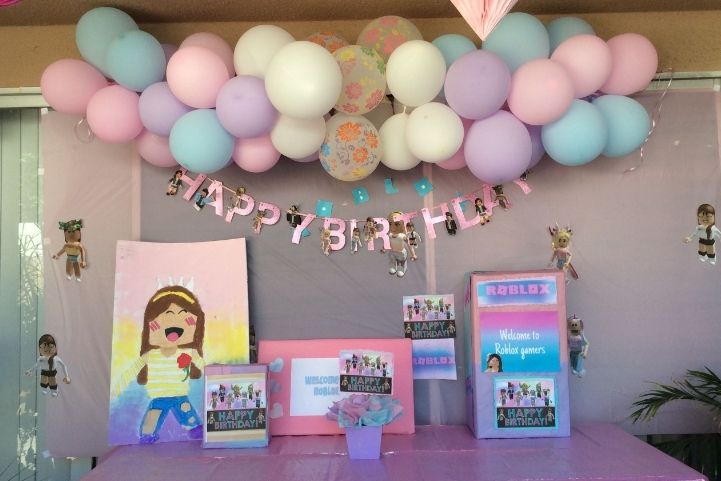
Choosing a theme is the first step to creating a fun Roblox party. It sets the mood and makes the event more exciting. A good theme brings all the party elements together, from decorations to games. It helps guests feel part of a special celebration. Pick a theme that matches your party goals and guests’ interests. This makes the party memorable and enjoyable for everyone.
Popular Roblox Party Themes
Many Roblox players enjoy themes that reflect popular games or styles. Some favorites include adventure quests, where guests explore and complete challenges. Another popular theme is a fashion show, focusing on outfits and creativity. A building contest theme works well for players who love creating structures. Racing themes also bring energy, with fast-paced games and competitions. These themes create a clear focus and keep players engaged throughout the party.
Customizing Your Theme
Make your chosen theme unique by adding personal touches. Use Roblox items that fit the theme’s style and colors. Create custom invitations that match the party’s look. Design game activities that fit the theme’s story or idea. Encourage guests to dress according to the theme. Small details like themed music or background settings help build atmosphere. Customizing turns a simple theme into a special experience for all players.
Read More – How to Create a Balloon Mural: Stunning DIY Party Decor Ideas
Setting Up The Venue
Setting up the venue is the first step to a fun Roblox party. The right place sets the mood and makes the event special. Think about space, style, and what your guests will enjoy. A good venue keeps everyone entertained and comfortable.
Choose a spot that fits your theme and the number of players. Make sure it has enough room for all activities. Keep the area easy to navigate and visually appealing. Details matter in making the party memorable.
Selecting The Best Game Place
Pick a Roblox game that suits your party style. Look for games with open spaces and fun features. Popular choices include adventure maps, party hubs, and creative worlds. Check if the game allows you to invite friends easily.
Consider the game’s graphics and controls. Simple games work best for mixed skill levels. Avoid places that are too crowded or hard to explore. The goal is fun, not frustration.
Designing The Party Area
Decorate your Roblox venue to match the party theme. Use colorful items, banners, and lights in the game. Arrange seating or resting spots for players to chat. Add fun props or mini-games to keep guests busy.
Make sure the layout is clear and easy to use. Avoid clutter that blocks paths or hides important spots. A well-designed area invites guests to join in and enjoy the party.
Inviting Guests
Inviting guests is a key step in making your Roblox party fun and lively. Good invitations bring friends together and create excitement. Planning who to invite helps your party run smoothly. You want the right mix of friends to enjoy the event.
Creating Guest Lists
Start by listing friends who play Roblox often. Include those who enjoy parties and games. Keep the list small if your party space is limited. Make sure your guests can join at the party time. Write down each friend’s Roblox username to avoid mistakes.
Sending Invitations In Roblox
Use Roblox’s in-game chat to invite your friends directly. Send a friendly message with the party date and time. You can also create a group and invite members there. Share your party’s place link for easy access. Remind guests before the party to ensure they remember.
Planning Activities
Planning activities is key to a fun Roblox party. Good activities keep guests happy and excited. They help everyone join in and enjoy the event. Pick activities that fit the group’s age and interests. Balance quiet moments with active play. Prepare a mix of games and group events to keep energy high. Here are some ideas to get started.
Fun Games And Challenges
Choose games that are easy to understand and quick to play. Simple challenges keep players interested and active. Try obstacle courses or treasure hunts within Roblox worlds. Time-based games add excitement and friendly competition. Small prizes or virtual badges can motivate players. Make sure games suit all skill levels. Allow players to team up or play solo. Rotate games to keep the party fresh and fun.
Interactive Group Events
Group events bring everyone together for shared fun. Plan dance parties or virtual scavenger hunts. Use Roblox’s chat and voice features to boost interaction. Team building games help guests bond and work together. Try role-playing events where players act out characters. Group quizzes or trivia tests add a fun challenge. Make sure everyone gets a chance to participate. Keep events short to hold attention.
Read More – How to Celebrate a Birthday Party Without Cake: Fun & Unique Ideas
Decorations And Accessories
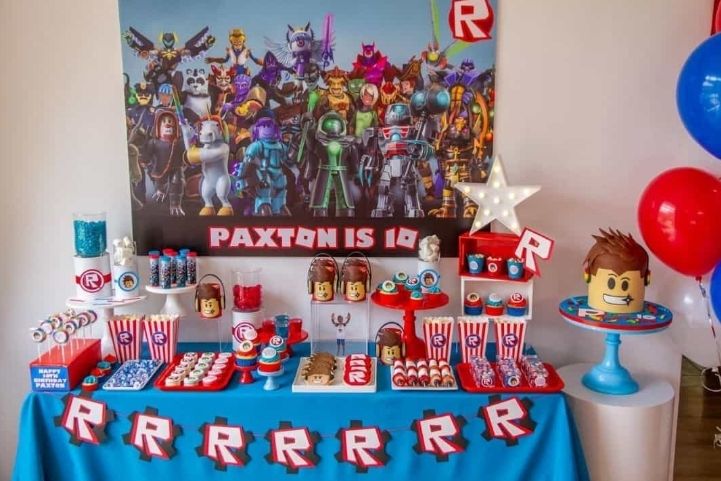
Decorations and accessories bring your Roblox party to life. They create a fun and exciting atmosphere. The right items make the party feel special and unique. You can choose from many options inside Roblox or add your own effects. This helps set the mood and make guests feel welcome.
Using In-game Items
Roblox offers many items for party decoration. Balloons, banners, and lights are popular choices. Place these items around your party space. This adds color and energy. Use furniture items like chairs and tables for a complete look. You can find these in the Roblox catalog or buy them with Robux. Arrange items to create cozy spaces for friends to chat. Small touches make a big difference.
Adding Custom Effects
Custom effects make your party stand out. Use particle effects to add sparkles or floating lights. These effects catch the eye and add magic. You can also add music and sound effects for a lively vibe. Scripts help you create special actions, like fireworks or confetti. These extras create excitement and keep guests entertained. Experiment with different effects to find what fits your party theme best.

Credit: www.youtube.com
Music And Sound
Music and sound set the mood for your Roblox party. They bring life and fun to the event. Choosing the right tunes and managing sound levels keeps guests happy and excited. Let’s explore how to handle music and sound for your party.
Choosing Party Playlists
Pick songs that fit your party theme. Use upbeat and popular tracks to keep energy high. Mix different music styles to suit all guests. Roblox offers many in-game songs to choose from. Make sure your playlist is long enough to last the party. Avoid songs with bad words or scary sounds.
Setting Up Sound Controls
Adjust sound settings so music is clear but not too loud. Use Roblox’s volume controls to balance game sounds and music. Allow guests to control their own sound levels if possible. Test the sound before the party starts. Make changes based on how the music feels during the event.
Food And Virtual Treats
Food and virtual treats make a Roblox party more fun and lively. They bring players together and add excitement. Players enjoy sharing favorite items and trying new treats in the game.
Virtual food helps create a party mood. It also gives players a chance to interact and celebrate. Planning these treats is simple and adds to the overall experience.
Popular Roblox Food Items
Roblox offers many fun food items that players love. Pizza, burgers, and ice cream are common favorites. These items fit well in most party games and themes.
Some players enjoy virtual candy and cupcakes too. These treats look colorful and festive on-screen. They help set a cheerful party atmosphere.
Food items in Roblox often come with animations. Watching avatars eat or share snacks adds fun. This visual element keeps players engaged during the party.
Organizing Virtual Snacks
Set up virtual snacks by choosing popular food items. Use Roblox’s shop or party packs to find treats. Arrange them in a game room or party area.
Invite players to “grab” or “eat” snacks during the event. This can be part of a game or a casual activity. Encourage sharing and chatting about the treats.
Use simple rules to manage food sharing. For example, limit how many snacks each player gets. This keeps the experience fair and enjoyable for all.

Credit: devforum.roblox.com
Managing Party Rules
Managing party rules is important for a fun and safe Roblox party. Clear rules help everyone enjoy the event. It keeps the party friendly and free from problems. Setting rules early makes the party run smoothly.
Setting Behavior Guidelines
Start by telling guests what behavior is okay. Ask players to be kind and respectful. Explain no cheating or bullying is allowed. Set limits on language and actions. Make rules easy to understand and follow. Remind guests to listen and cooperate during games. Good behavior keeps the party fun for all.
Handling Unwanted Guests
Sometimes, uninvited players may join the party. Decide how to spot and remove them quickly. Use Roblox privacy settings to control who joins. Politely ask unwanted guests to leave the party. Block or report anyone who causes trouble. Protect your party from disruptions to keep it safe.
Read More – Celebrating Your Birthday in College: Tips And Tricks for Fun!
Capturing Memories
Capturing memories is a key part of any Roblox party. It helps you save fun moments and share them with friends. Photos and videos keep the excitement alive long after the party ends. They also let everyone remember the good times together.
Taking Screenshots And Videos
Use Roblox’s built-in tools to take screenshots and record videos. Press the print screen button or use Roblox’s video capture feature. Try to capture funny moments, cool outfits, and group activities. Keep the camera steady to get clear pictures and smooth videos. Take multiple shots to pick the best ones later.
Sharing Party Highlights
Share your best photos and videos with friends after the party. Use Roblox chat or social media platforms to show off the fun. Create a photo album or video montage to make sharing easier. Ask friends to send their pictures too. This way, everyone can enjoy the party memories together.
Tips For A Smooth Party
Planning a Roblox party means making sure everything runs smoothly. Small problems can stop the fun fast. Good preparation helps keep the party lively and enjoyable. This section offers simple tips to avoid issues and keep guests happy.
Troubleshooting Common Issues
Check your internet connection before the party starts. Slow or unstable internet can cause lag and disconnects. Test the Roblox server status to avoid downtime. Have a backup plan in case of technical problems. Keep a list of quick fixes ready for common glitches. Restart the game or device if something freezes. Encourage guests to update Roblox to the latest version.
Keeping Guests Engaged
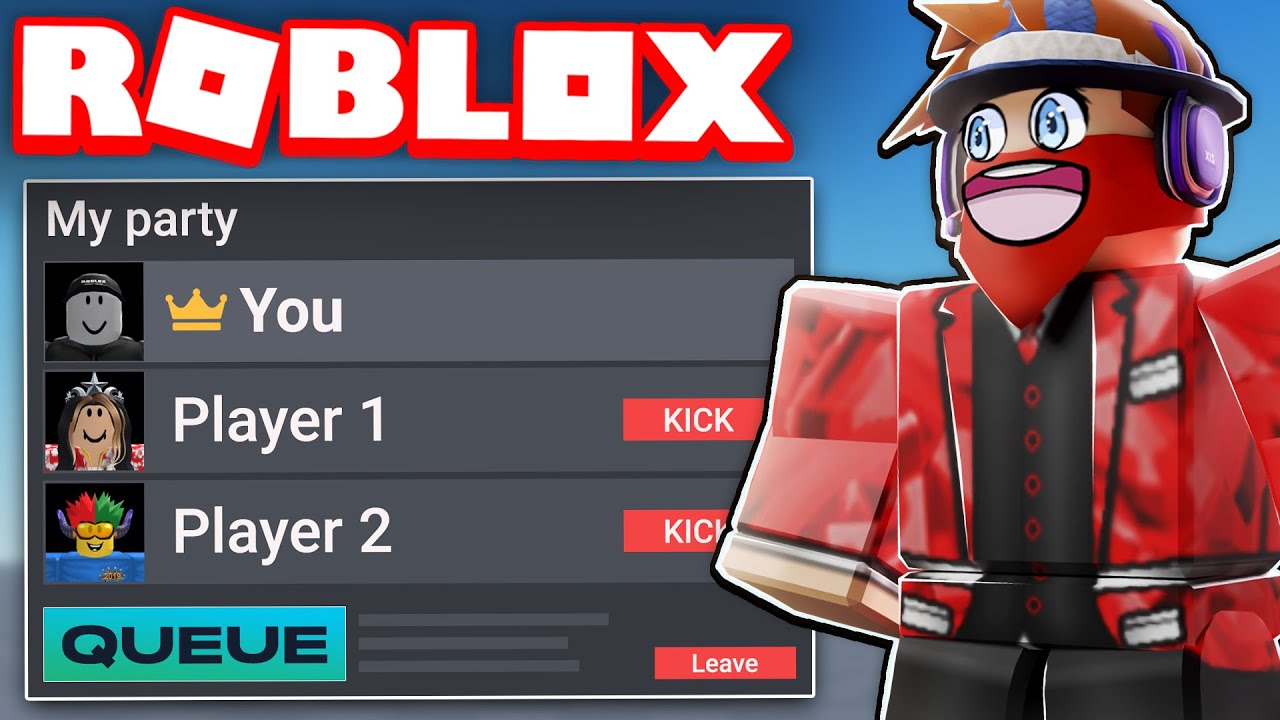
Plan fun activities that suit all ages. Use simple games everyone can join quickly. Change games or activities to keep interest high. Give clear instructions so no one feels lost. Offer small prizes or rewards to motivate players. Encourage chatting and sharing in the party chat. Keep the party lively with music and fun decorations inside Roblox.
Credit: devforum.roblox.com
Frequently Asked Questions
How Do I Start A Roblox Party?
To start a Roblox party, first create a private server or game. Invite friends by sharing the server link or using Roblox party chat features. Customize the party setting and plan activities to keep everyone engaged and entertained.
What Games Are Best For Roblox Parties?
Popular Roblox party games include Adopt Me!, Brookhaven, and Royale High. These games offer fun social interactions and easy gameplay. Choose games that suit your friends’ interests for a memorable party experience.
Can I Customize Party Themes In Roblox?
Yes, you can customize party themes by selecting specific games, avatars, and decorations. Use Roblox Studio to design unique environments. Themed parties enhance the fun and make your event special and personalized.
How To Invite Friends To A Roblox Party?
Invite friends by sending game links through Roblox chat or external apps. Ensure your party server is set to private or friends-only for controlled access. Clear instructions help friends join easily and enjoy the party.
Conclusion
Hosting a Roblox party can be fun and simple. Plan your games and invite friends to join. Decorate your virtual space to match the theme. Keep the party lively with music and activities. Remember to check everyone’s connection for smooth play.
Celebrate together and make great memories online. A Roblox party brings friends closer, even far apart. Try it out and enjoy the fun!